Selected people
Choose which eligible people can see the walk, with recipient details when you review your own sharing.
 WalkPic.
Free iPhone beta
A photo journal for your walks
For walks you’ll want
to remember.
Keep your route, photos, favourite stops and spoken memories together. Share the day as it happens, or revisit it when you get home.
AI narration ↗Live walks ↗AI route planning ↗
On Apple TestFlight · Private until you share
Exploring on a computer? Open the web app
An afternoon
by the Seine.
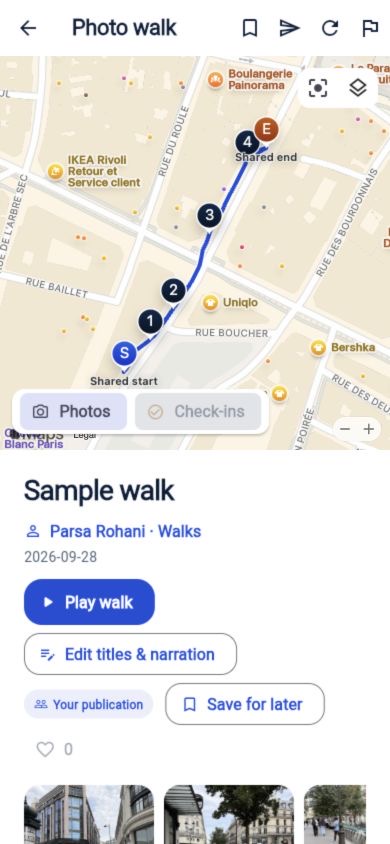
Where shall we go?
A few photos might be all it takes to find somewhere you’d love to go.
Maps gives you directions to each photo stop. Its suggested path may differ from the one originally recorded.
Make it your kind of day
Share what happened, follow someone as they go, or make a route for another day.
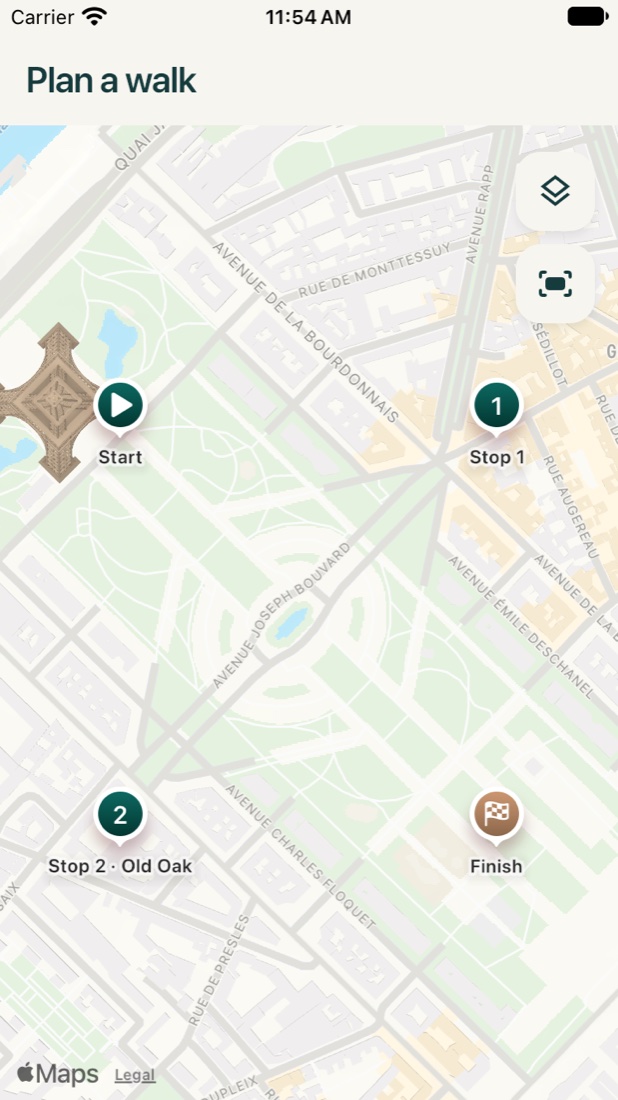
In the web app, choose a Start and Finish, add cafés and viewpoints as pins, calculate a route and choose Share planned route. Name it, add a note to each place and choose its audience. Your friend opens the route and visits the places whenever they like. No recording, date or attendance is required.
Record on your iPhone, take photographs and check in at a favourite café. Finish privately, then choose the photos and audience before sharing. Friends can explore the photos, save the walk and open walking directions to a stop.
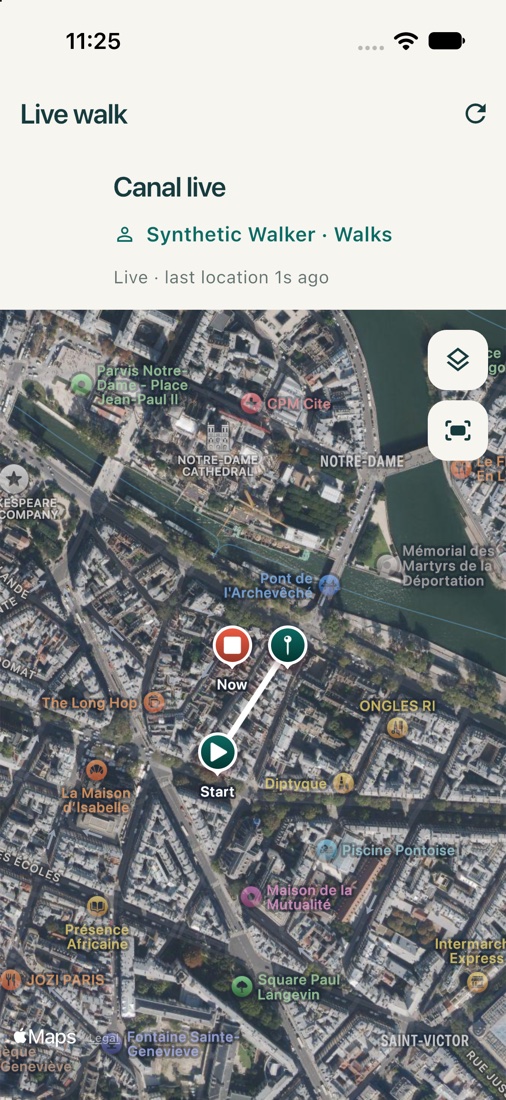
The walker starts live sharing on their iPhone. An authorized friend watches on their phone or in the web app, follows the moving position and sees published photos arrive. Last-update and connection labels explain any delay.
Open a friend’s shared live walk to see their latest position and path. Use it to arrange a meeting; an old position remains labelled with its update time. Each person chooses whether to record or share their own walk.
Save a check-in with an optional rating. Return to its place pin, open it in Maps or share that place. A private visit remains private when you share a place link.
Follow them, then use the People filter in Shared with me to find walks you can access. Save a favourite for later. Download an available photo copy; its largest shared size may be smaller than the photographer’s original.
A copied planned-route link keeps the route’s audience rules. Stop sharing removes other people’s access in WalkPic. Collaborative editing, shared wishlists and live groups with several walkers are scenarios being designed; reusable routes currently have one author.
A place for every walk
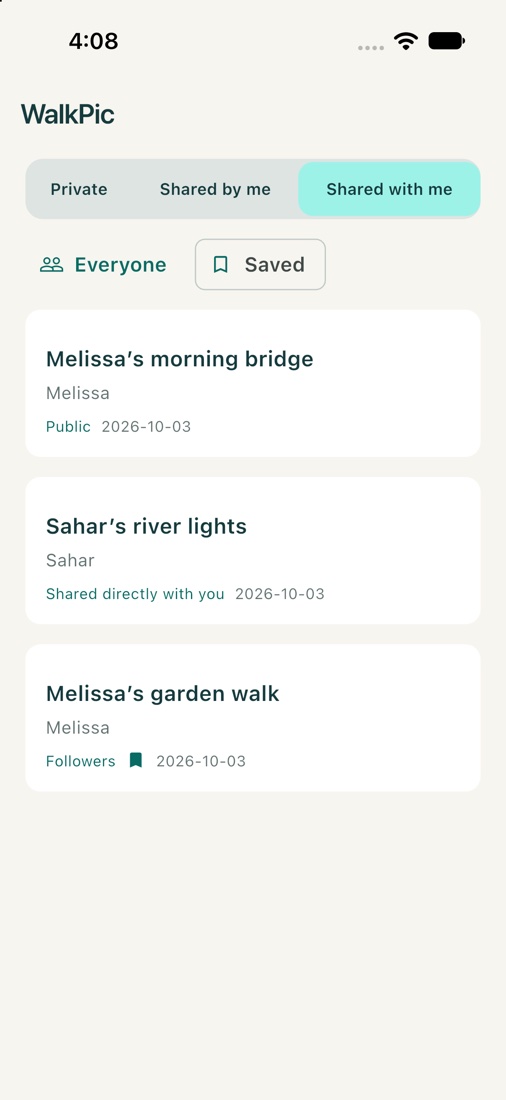
Your memories, the walks you’ve shared and the ones shared with you each have their own place. Audience labels tell you who can see a walk without crowding the photographs.
Memories on your phone that you haven’t shared.
Your shared walks, with their audience and sharing details.
Walks you can access, including the ones you’ve saved for later.
Choose several people in one searchable filter—Melissa, Sahar, or both. Turn on Saved to find your bookmarks. Save keeps a walk handy; Like shows appreciation.
Together, wherever you are
Choose live sharing when you start a walk. Share publicly or with approved followers, so they can watch your path and the photos you choose to publish appear on their map.
Follow walker keeps the map with the person walking. Move around freely and switch following back on whenever you like.
See the audience, the last successful update, connection trouble and when the walk has ended.
Stop live publishing from your phone. If the connection is lost, WalkPic shows the pending server confirmation and a way to retry.
When someone you follow shares a walk you can access, a notification and a walk card in Chat help you find it. Open chats receive updates as events arrive.
The little things make the memory
Record a voice note while walking. Its time and place stay along the path, ready to listen to when you reopen the memory. Spoken notes stay private.
Comment and react to shared photos. Place discussions bring comments from different walks together at the same place, while private check-in details stay private.
Save a photo to Photos or share it from the iPhone share sheet, including Messages. Choose Small, Medium, Large or Full when available. Full uses the available photo copy; a shared copy may be smaller than the photographer’s original. Exported photos omit embedded location metadata.
Photo and voice-note pins open compact details with the available time and caption, so you can stay with the map before opening the moment.
A little planning before you go
Start with the sort of afternoon you have in mind.
“A scenic walk in Paris with cafés and time for photos.”Something you could ask WalkPic
WalkPic uses AI to look for places that fit your request. Check the Apple Maps suggestions, pick your stops and calculate a walking route with its distance and estimated time.
You can also add stops yourself or import up to 20 stops from a CSV or Excel file. Put them in the order you want, compare routes and leave a little time for photos.
Walking planning currently covers the Paris area. You can open your chosen route in Apple or Google Maps. Describe your ideal walk, then review the suggested places before you set off.
Listen as you look back
Choose a photo and let AI help tell its story, using the image, its saved location and your caption. Add nearby place information, change the words until they feel right, then choose a voice: Cedar, Marin, Coral or Onyx. You can ask for photo captions too: confirm the selected preview, saved location and caption, then review the suggestion before saving. Your saved text and recordings are there to use again.
Watch your photos unfold alongside the map, with chapters and music if you’d like it. Out on a walk and curious about a place? Tap About here.
You choose what AI seesHear it for yourself
Here’s a short sample of the AI narration you can add to a walk.
“Welcome to WalkPic. Follow the path, enjoy the photographs, and take your time.”
AI-generated voice · Also available: Marin, Coral and Onyx
AI is optional and needs a connection. Review generated text before saving. Background GPS recording does not automatically identify places or create AI stories.
Your photos, with the places attached
Start recording in WalkPic, then take photos with your usual iPhone Camera. Photos and check-ins keep their capture times, so the day makes sense in order. Finish opens a private memory with your route and moments; naming, editing and sharing can follow. Find old walks on the calendar or day and week map overviews. Short video clips can stay with your walk on your iPhone, too.
Records in the background · No account needed to record · Encrypted on your iPhone
Check in when you find a place you’d like to remember. Add stars or a few words if you want. Later, find it in Places on the map or in the list, along with the walks that took you there. Filter by place type, search an address and see your rated favourites.
Your stops, saved for another day. Check the Public or Private choice before saving a visit; new signed-in visits start with Public selected.
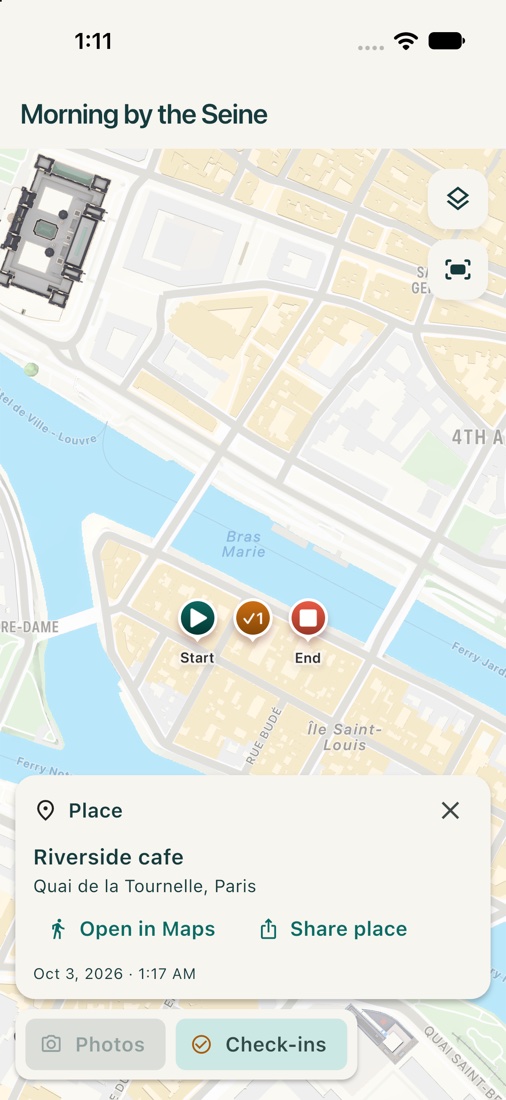
Actual app screens with sample content and simulated test walks. Select any screen to view it in full. Layouts vary by beta version.
Settle in with your photos and route, add music if you like, or take another look at a stop with Apple Look Around where it’s available.
Save an encrypted walk archive, including spoken memories, to Files so you can restore it later, or export the route as GPX. Video clips stay on your iPhone; walks containing them cannot yet be exported as archives. Your private library isn’t automatically backed up to the cloud.
Chat, plan a shared outing, invite friends, see who’s coming and add it to your calendar. Start from a saved route or outing with next-stop guidance. Following someone does not automatically give permission to chat; a first message can require an accepted request.
On your computer, too
Browse walks on a roomy map, look through the photos and plan your next afternoon out. Sign in with Apple or an email code to use the browser app.
Open WalkPic on the webFind public walks, open your bookmarks and browse shared place visits.
Open the gallery, move with the arrow keys and listen to narration. Edit the stories on walks you’ve published.
Add stops, review imported CSV addresses and calculate a walking route. Download your route draft when you’re ready.
Your private iPhone journal stays on your phone. It does not automatically sync to the browser. Browser route drafts stay in the current tab unless you download them.
The latest from WalkPic
Updated
More ways to keep and share the day.
Three Walks tabs, a multiselect People filter and Saved make your library easier to revisit. Like public walks, discover Most liked and Popular this week, and join discussions on photographs and places.
Capture timestamped photos, check-ins and private voice notes along the route. Finish saves a private memory before naming or sharing. Recording and audio save incrementally, interrupted saves offer recovery, and pending uploads retain their identity for retry.
Choose Public, approved followers, selected people or an unlisted link for a finished walk. Share live with Public or approved followers, see update and connection states, and stop sharing when you choose. On iPhone, Save or Share a single photograph in the size that suits you.
Ask for a route, import CSV or Excel stops, and record from a saved route or outing. Get editable photo captions and narration when you choose. In the browser app, explore public walks, revisit bookmarks, edit published stories and use the map-first planner. Browser route drafts stay in the current tab unless you download them.
Ready for a walk?
Try WalkPic on your next walk. The iPhone beta is free through Apple TestFlight while we get ready for the App Store.